What Is Workbench?
Workbench is a local-first project journal I built to give creative work more structure—without turning it into another complicated productivity system.
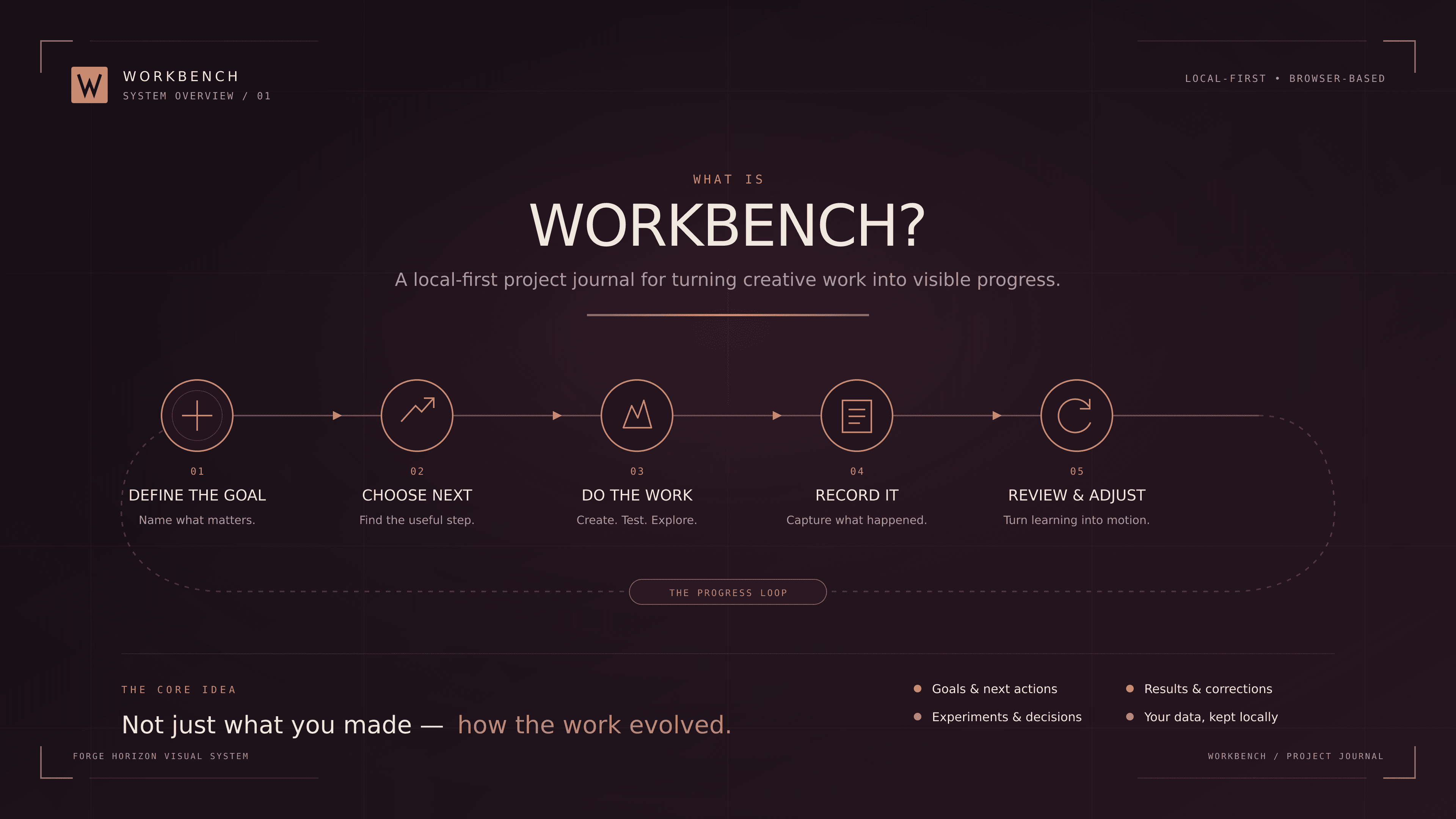
I rarely struggle to find new things to work on. The harder part is remembering why I made a decision, what I tested, what actually worked, and what I should do next.
That is why I built Workbench.
Workbench is a local-first project journal designed to bring structure to creative work. It gives me one place to define a project, set a goal, choose the next useful action, and record how the work develops over time.
It is not intended to be a traditional task manager. The important part is not simply checking off tasks. It is capturing the thinking, experiments, results, and corrections that shape a project.
Why I built it
My projects cover several very different areas: music production, drawing, tattoo practice, resin printing, web development, and learning new tools. The medium changes, but the underlying process is often the same.
I start with an idea. I try something. I make a decision. I discover a problem. I adjust the plan and continue.
Most productivity tools are good at showing what remains to be done, but they rarely preserve the story behind the work. Notes become scattered, earlier decisions disappear, and useful lessons are easily forgotten.
Workbench was built to make that process visible.
The Workbench loop
The basic workflow is intentionally simple:
- Define the goal — describe what the project is trying to achieve.
- Choose the next action — identify the smallest useful step forward.
- Do the work — create, test, explore, or solve.
- Record what happened — document the important parts while they are still fresh.
- Review and adjust — turn what was learned into the next move.
This creates a continuous loop rather than a fixed checklist. Creative projects rarely move in a perfectly straight line, so the system is designed to accommodate changes without losing the history behind them.
Five kinds of journal entries
Every journal entry can be given one of five types:
- Note — context, observations, references, or general thoughts.
- Experiment — something tested without knowing the outcome in advance.
- Decision — a choice that affects the direction of the project.
- Result — an outcome worth preserving.
- Correction — something that needs to change based on what was learned.
Together, these entries create a chronological record of how a project evolved—not just a polished summary written after everything was finished.
What the first version includes
Workbench v1.0 is complete and is now being used with real creative projects. It currently supports:
- creating and editing projects;
- setting a goal and current next action;
- adding chronological journal entries;
- assigning entry types and tags;
- archiving and restoring projects;
- keyboard-friendly navigation and responsive layouts;
- safe local persistence in the browser.
The application is built with React, TypeScript, and Vite. It started as an experiment in learning Kiro and working through a more specification-driven development process, but it quickly became a useful tool in its own right.
Local first by design
Workbench currently runs entirely in the browser. Project information is stored locally rather than being sent to an online account or external database.
For this kind of personal working journal, that feels like the right starting point. It keeps the application fast, private, and uncomplicated while I learn what the product genuinely needs.
The next development step is manual backup and restoration, allowing the complete journal to be exported and safely imported again. Features such as image attachments, project templates, search, and a possible Journal to Story workflow can come later—but only after the foundation is dependable.
More than a record of finished work
Workbench is still evolving, but its purpose is already clear.
I do not only want to remember what I made. I want to preserve how the work evolved: the experiments that failed, the decisions that changed direction, and the small corrections that eventually produced something worthwhile.
That process is often the most useful part of the project.
Continue Reading
The beginning of a large-scale Eddie resin print, starting with a test of the model’s most recognizable feature.
I use digital tools for almost everything, but some ideas need paper before they need structure. This is how I plan to turn a Traveler’s Notebook into a practical analog workbench.