Creating the Ashwrithe Logo in Adobe Illustrator
Every band needs a visual identity, and for Ashwrithe, I wanted the logo to feel like an extension of the music itself.
Every band needs a visual identity, and for Ashwrithe, I wanted the logo to feel like an extension of the music itself.
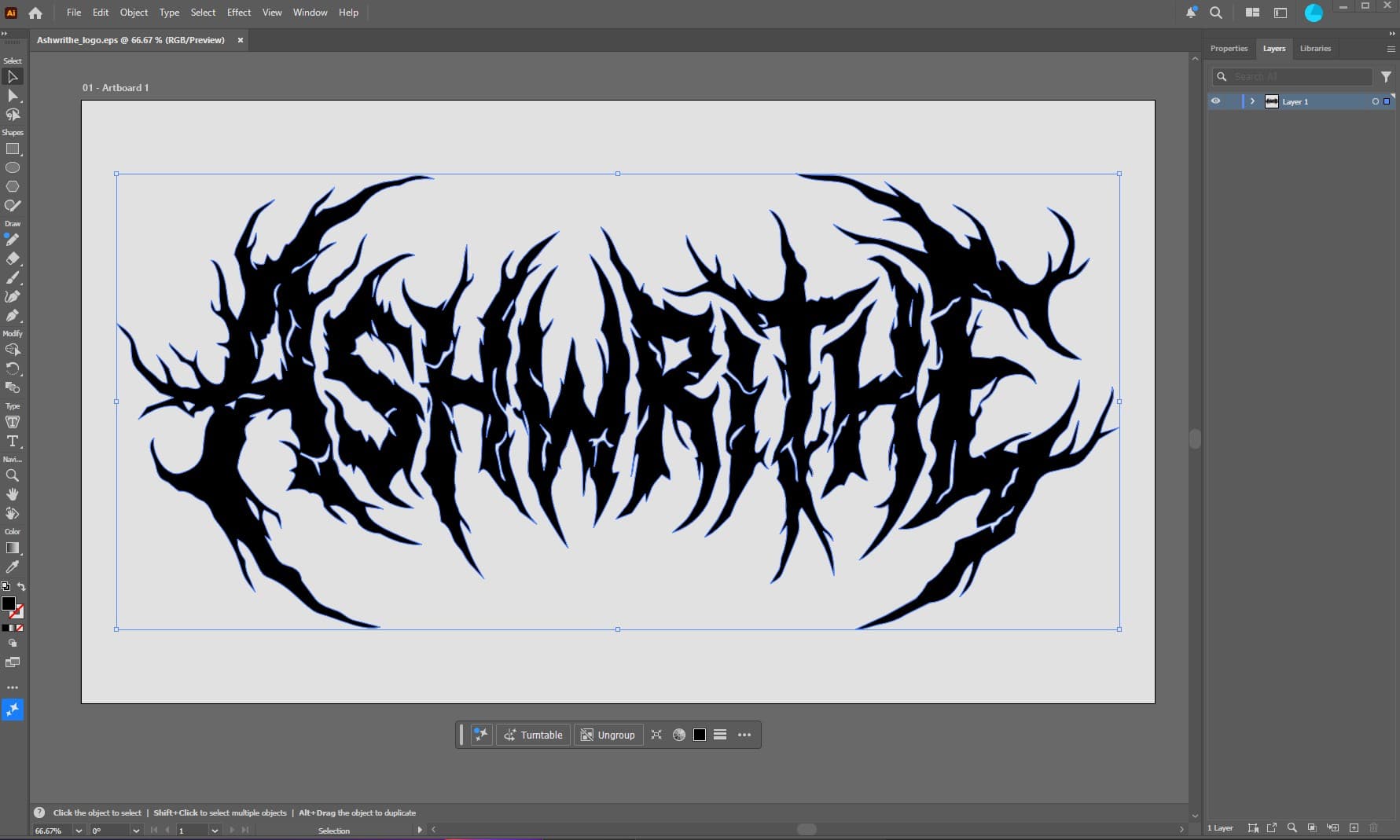
Instead of relying on an AI-generated logo or a premade font, I decided to build it from scratch in Adobe Illustrator as a fully scalable vector graphic (EPS). Working with vectors means the logo can be used anywhere—from tiny social media icons to large banners, album artwork, merchandise, and print—without ever losing quality.
The goal wasn't to create something that was simply difficult to read. I wanted a logo that captured the atmosphere of Ashwrithe:
- Cold
- Organic
- Thorn-like
- Ritualistic
- Dark, but still recognizable
Every letter was carefully shaped and refined until the entire word felt like one connected form rather than individual characters.
The screenshot below shows the logo during the vector editing process inside Adobe Illustrator. It's always interesting to look behind the finished artwork and see the work that goes into building a visual identity from the ground up.
Creating logos is surprisingly similar to writing music. You start with a rough idea, experiment with different shapes, remove what doesn't work, refine the details, and eventually everything clicks into place.
Ashwrithe is still growing, and so is its visual world. This logo is just one piece of a much larger creative vision that includes music, artwork, storytelling, and atmosphere.
I hope you'll enjoy following the journey.
Continue Reading
Using AI and staring at screens can be exhausting. As a complete beginner to notebooks and fountain pens, here is how I found a simple way to step away and get some analog breathing room.
After years of saying "one day," I finally earned my motorcycle license. This wasn't just about buying a bike—it was about challenging myself, embracing something new, and starting another adventure.